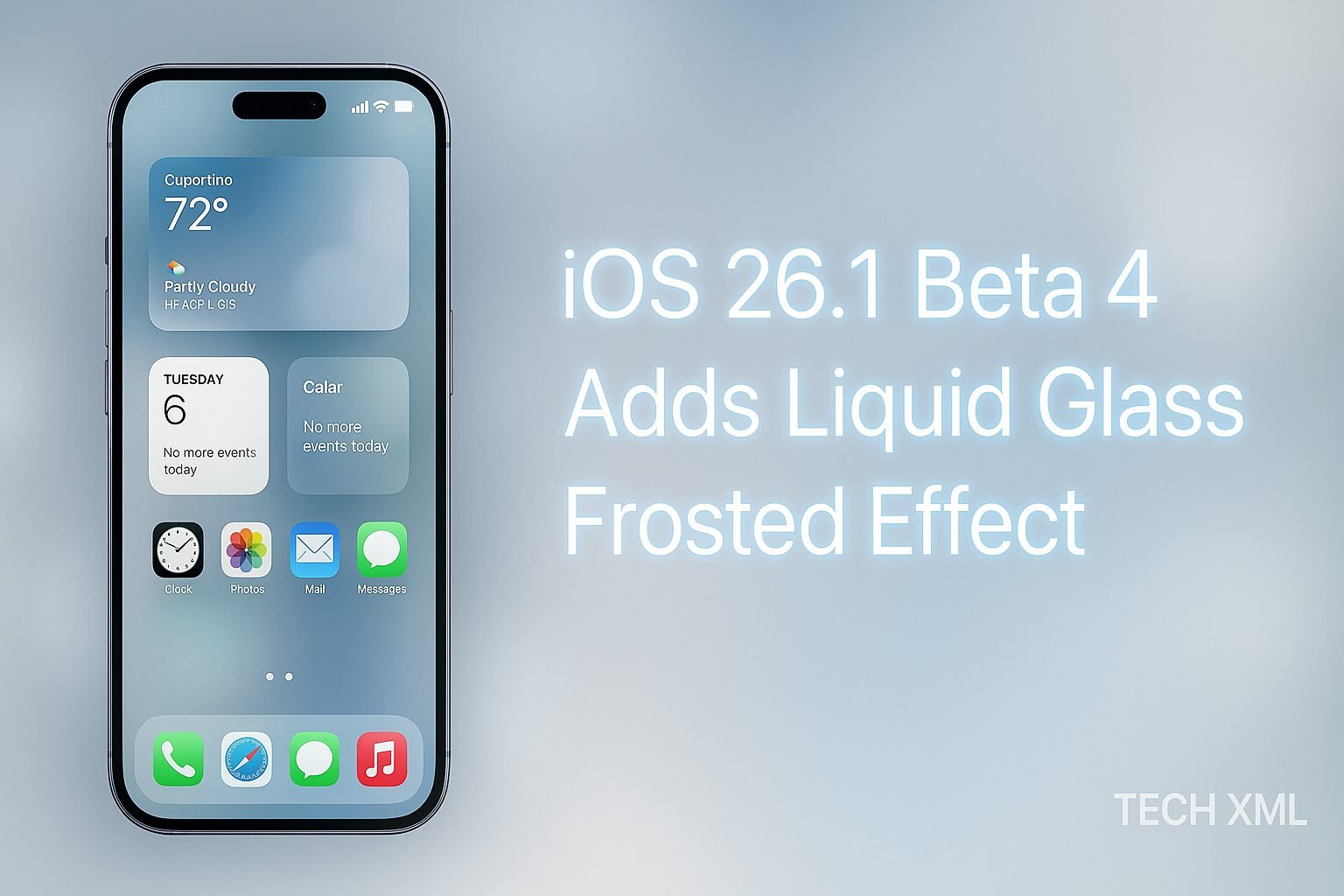
Apple’s design evolution has always been about subtle sophistication, and iOS 26.1 Beta 4 continues that legacy with something truly mesmerizing the Liquid Glass Frosted Effect. This latest beta isn’t just a surface-level refresh, it reimagines how transparency, light, and motion interact across your iPhone’s interface. The effect feels fluid, almost alive, turning every swipe, tap, and scroll into a tactile experience of clarity and smoothness.
The new visual texture makes your iPhone appear more premium and immersive than ever before. For Apple enthusiasts, designers, and beta testers, iOS 26.1 Beta 4 is a glimpse into the future of mobile aesthetics, where performance meets visual poetry.
What is the Liquid Glass Frosted Effect?
The Liquid Glass Frosted Effect is Apple’s new visual layer that combines dynamic translucency with light diffusion. Think of it as a refined blend of glass and mist, where background colors softly bleed through but retain enough blur to keep elements distinct.
Unlike older effects, which relied heavily on static transparency, this new design adjusts its diffusion in real time based on the background and movement. It creates a living, breathing interface that feels more intuitive.
This effect subtly enhances contrast and depth, helping users distinguish icons, widgets, and menus more clearly while maintaining Apple’s signature minimalism.
Where You Can See the Liquid Glass Frosted Effect
The Liquid Glass Frosted Effect in iOS 26.1 Beta 4 appears across several parts of the interface, bringing a sense of continuity throughout the system.
1. Lock Screen
Your lock screen now glows with soft, refracted edges, particularly noticeable when light wallpapers or notifications appear. The frosted layer reacts to ambient lighting, producing a gentle shimmer effect that shifts naturally with device movement.
2. Control Center
Apple has given the Control Center a modern makeover. Buttons and toggles now float over a semi-transparent glass surface. The frosted texture creates the illusion of depth, giving quick-access panels a cleaner, more professional feel.
3. Widgets and Dynamic Island
Widgets now display smoother transitions between colors and layers. Combined with the frosted look, it gives the entire dashboard a premium “floating glass” vibe. The Dynamic Island also benefits from this update, adapting its blur intensity based on the content being displayed.
4. Notification Panels and Menus
Notifications now appear less intrusive yet more distinct. Each alert feels carefully placed on a glass sheet, allowing users to read content easily without harsh contrasts or heavy drop shadows.
5. Settings and System Apps
Even Apple’s default apps, such as Messages, Music, and Notes, reflect the frosted upgrade. Menus have softer edges, and the background blur responds dynamically to scrolling and gestures, resulting in a more responsive and polished experience.
How It Differs from Previous Transparency Effects
Apple first introduced visual transparency back in iOS 7 with the Blur effect, followed by layered depth enhancements in iOS 15. But iOS 26.1 Beta 4 marks a leap forward.
- Dynamic Adaptation: Previous transparency layers were static. The Liquid Glass Frosted Effect reacts in real time to content and motion.
- Light Physics Simulation: Apple’s new rendering engine simulates how real glass diffuses light, making the visuals appear more realistic.
- Energy Efficiency: Despite the visual complexity, this effect consumes less GPU power, proving Apple’s continued commitment to performance optimization.
This new approach not only refreshes the interface but also reflects Apple’s design maturity favoring organic fluidity over digital flatness.
Apple’s Design Direction for 2025
Apple’s visual philosophy in 2025 revolves around what the company calls “Dynamic Clarity”. The goal is to create a UI that feels tangible, yet never distracts from usability.
The Liquid Glass Frosted Effect perfectly embodies that idea. Instead of adding ornamental flair, it enhances focus. Users feel immersed in a living environment that reacts gently to their actions. This aligns with Apple’s broader push toward emotionally intelligent design one that merges science, art, and function seamlessly.
Apple’s design team continues to refine details such as depth, motion, and tactile visual feedback. Each update brings users closer to an interface that feels truly alive and emotionally connected.
Read More-
- Galaxy S26 Series to Feature Exynos 2600 Faster Than Snapdragon
- How to Clear Cache on Your PS5 (Step-by-Step Guide)
- iPad Pro M5 Review: The Ultimate Tablet Experience
- Top 10 Smartphones to Buy in November 2025
- Top 10 Best Smartwatches to Buy in November 2025
Why This Change Matters for Everyday Users
At first glance, it might seem like a purely aesthetic tweak. But the Liquid Glass Frosted Effect impacts how users interact with their iPhones daily.
- Better Readability: The soft diffusion improves text clarity against dynamic wallpapers.
- Enhanced Focus: Key elements stand out naturally without visual clutter.
- Comfort for the Eyes: The subtle texture reduces visual fatigue during long usage sessions.
- Emotional Appeal: The frosted motion feels calming, creating a sense of luxury that users subconsciously associate with premium hardware.
In essence, Apple’s visual evolution isn’t about decoration, it’s about how visuals shape behavior and comfort.
Mini Story: How the Frosted Effect Caught a Designer’s Eye
When UI designer Arjun Mehta from Bengaluru first tried iOS 26.1 Beta 4, he described the effect as “the closest thing to holding glass that moves.” He noticed how even mundane tasks like opening the Control Center or adjusting brightness felt smoother.
Arjun shared, “This isn’t just a background effect. It’s emotional design in action. Apple is teaching users how to feel technology.” His experience captures what Apple has been aiming for an interface that touches more than just the fingertips.
Extra Benefits for Beta Testers and Creators
Beta testers exploring iOS 26.1 Beta 4 can experiment with app layouts and color palettes to see how the frosted effect adapts. For content creators, it opens new storytelling possibilities through screen recordings and design showcases.
UI/UX designers can analyze Apple’s refined approach to glassmorphism, learning how subtle gradients and blur depths can create cleaner visual hierarchies.
For users who record or stream iPhone content, this update enhances screen aesthetics naturally, reducing the need for heavy visual editing.
Quick Comparison: From Blur to Liquid Glass
| Feature | iOS 15 Blur Effect | iOS 26.1 Liquid Glass Frosted Effect |
|---|---|---|
| Visual Depth | Basic translucent layers | Realistic frosted glass diffusion |
| Adaptability | Static opacity | Dynamic, content-aware rendering |
| Power Efficiency | Moderate | Optimized GPU utilization |
| Emotional Design | Minimal focus | Core design principle |
This evolution shows how Apple has transitioned from technical experimentation to emotional precision.
Why Apple’s Design Team Nailed It Again
Apple’s success lies in understanding that design isn’t about adding more, it’s about refining what already works. The iOS 26.1 Beta 4 Liquid Glass Frosted Effect feels intentional, not decorative.
By merging responsive design physics with minimalist aesthetics, Apple continues to set standards for the entire smartphone industry. Competitors may try to mimic the look, but Apple’s mastery lies in seamless execution.
FAQs
1. What is the Liquid Glass Frosted Effect in iOS 26.1 Beta 4?
It’s a new visual design layer that simulates frosted glass using dynamic transparency, creating a softer, more realistic look across the iPhone interface.
2. Where can users experience this new effect?
You’ll notice it on the Lock Screen, Control Center, widgets, menus, and system apps. It adds a consistent glass-like appearance throughout iOS.
3. Does this feature affect performance or battery life?
No. Apple has optimized the rendering engine, ensuring smooth animation without draining extra battery or lagging.
4. Is the Liquid Glass Frosted Effect exclusive to certain models?
It works best on iPhones with the A17 Bionic chip and later, though it may appear in a limited form on older devices.
5. When will the public release include this effect?
Apple is expected to include it in the official iOS 26.1 rollout, typically a few weeks after the final beta testing phase.
User Reviews
Riya Kapoor, Mumbai: “The moment I updated to iOS 26.1 Beta 4, my lock screen felt brand new. It’s clean, elegant, and surprisingly calming.”
Nathan Brooks, London: “As a UX designer, I’m impressed. The frosted motion effect is subtle but powerful. It enhances usability in every interaction.”
Aditya Sharma, Delhi: “I’ve tested several iOS betas, but this one feels special. It’s a perfect mix of modern design and Apple’s signature smoothness.”
Forum Q&A Discussions
Q: Does the frosted glass effect work in dark mode too?
A (Priya Nair, Chennai): Yes, it looks stunning in dark mode. The frost glows gently under dim backgrounds, creating a soft contrast that’s visually pleasing.Q: Can third-party apps use this new visual style?
A (Leo Grant, New York): Apple hasn’t opened it fully yet, but developers can replicate similar effects using SwiftUI blur layers until official APIs arrive.
Conclusion: Apple’s Most Elegant Visual Update Yet
With iOS 26.1 Beta 4, Apple proves that innovation doesn’t always mean radical change. Sometimes, it’s about refining the smallest details that make technology feel human. The Liquid Glass Frosted Effect captures that philosophy perfectly blending science, art, and emotion into one seamless experience.
As Apple users await the final release, one thing is certain: your iPhone is about to look and feel more elegant than ever.






Leave a Reply