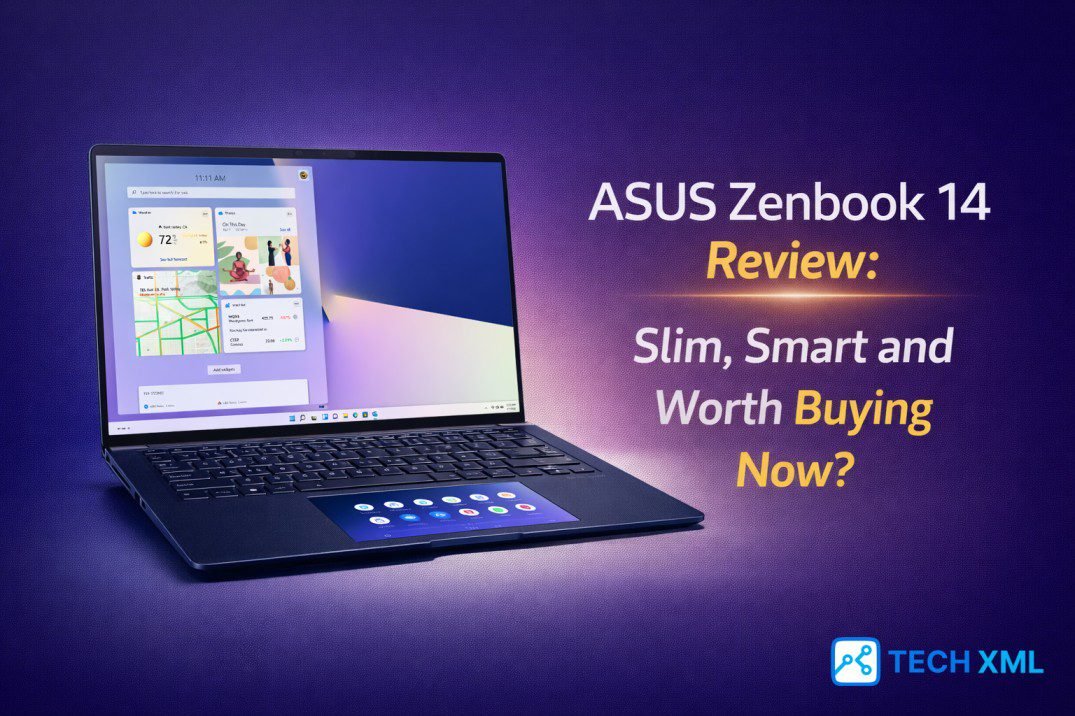
The 14-inch laptop category has quietly become the most competitive space in 2026. Buyers no longer accept thick bodies or weak batteries just to gain performance. At the same time, they refuse to sacrifice power for portability. That tension makes this ASUS Zenbook 14 Review especially relevant.
Many professionals now want a machine that feels premium, travels easily, and handles serious work without noise or heat drama. The question is simple: does this model actually deliver balance, or does it just look the part? The answer requires context, as modern Intel Core Ultra platforms have changed expectations across the premium thin laptop segment.
- The Screen: Best-in-class 3K ASUS Lumina OLED.
- The Power: Intel Core Ultra (AI-Ready).
- The Build: Military-grade durability in a slim chassis.
The 14 Inch Market in 2026
Manufacturers now treat the 14-inch format as the sweet spot. It fits easily in a backpack yet still offers enough screen space for productivity. As a result, buyers increasingly search for the best 14-inch laptop instead of defaulting to 13-inch models.
OLED panels have also moved from niche to mainstream. What once felt premium now appears even in upper mid-range devices. Therefore, display quality often decides purchasing decisions more than raw benchmark scores. Within this landscape, the Zenbook 14 positions itself as a refined ultraportable laptop 2026 buyers can trust.
Design and Build Quality
At first touch, the chassis feels deliberate and well-engineered. ASUS uses a sturdy aluminum body that resists flex, even when pressure is applied near the keyboard deck. Consequently, the Zenbook 14 build quality inspires confidence instead of fragility concerns.
The laptop weighs around the lower end of the 14-inch class, which makes daily travel effortless. More importantly, the hinge feels stable and allows one-hand opening, signaling careful engineering.
In daily handling, the machine does not feel like a compromise for slimness. Instead, it feels intentional. That distinction matters in a premium thin laptop where durability and elegance must coexist.
Display Experience: OLED Done Right
The highlight for many buyers will be the OLED laptop display. ASUS equips the Zenbook 14 with a high-resolution OLED panel that delivers deep blacks and vivid colors. Streaming content looks cinematic while text appears crisp and sharp.
Brightness levels handle indoor office environments comfortably. Furthermore, color accuracy supports light creative tasks such as photo adjustments. Zenbook 14 OLED performance stands out because it enhances both entertainment and productivity.
Eye comfort also improves with modern panel tuning. Blue light management and flicker reduction reduce strain during long sessions, benefiting professionals who spend hours on spreadsheets.
Performance and Thermals
Performance in this ASUS Zenbook 14 Review centers around Intel Core Ultra architecture. These processors combine performance cores, efficiency cores, and AI acceleration into a balanced design. Consequently, multitasking feels responsive even with multiple browser tabs open.
For general productivity, the laptop rarely struggles. Moreover, AI-assisted tasks such as background blur in video conferencing operate efficiently thanks to integrated neural processing (NPU) capabilities.
Thermal behavior deserves attention in a slim machine. Under sustained load, fans become audible but not distracting. More importantly, the keyboard deck remains comfortable, indicating effective heat distribution.
Battery Life and Charging
Battery endurance often defines satisfaction in a lightweight productivity laptop. In realistic mixed usage including browsing, streaming, and document editing, the Zenbook 14 comfortably approaches a full workday.
Video playback efficiency remains strong due to OLED power management. Additionally, fast charging support adds convenience. A short charging session during a coffee break restores meaningful percentage, reducing anxiety during busy schedules.
Ports and Connectivity
Despite its slim frame, the laptop includes practical connectivity options. Thunderbolt support allows fast data transfer and external display connections. HDMI output reduces dependence on dongles during presentations.
USB-A ports remain present, which simplifies use with older accessories. This thoughtful port selection reinforces that portability does not require sacrifice.
Real World Usage Scenario
Consider a consultant who starts the day reviewing client slides. The Zenbook boots quickly and handles multitasking without hesitation. Later, working from a café, the lightweight design reduces shoulder strain, and battery life eliminates the search for power outlets.
Through such scenarios, this ASUS Zenbook 14 Review highlights consistency rather than flashy extremes. The machine adapts to varied environments without drawing attention to limitations.
Success Story: Switching from Gaming Laptops
Rohit from Pune previously carried a bulky gaming notebook. Although performance satisfied him, the weight caused daily discomfort. Eventually, he switched to the Zenbook 14 seeking mobility.
Within weeks, he noticed improved convenience during flights. While he sacrificed dedicated GPU power, he gained battery endurance and comfort. For his professional needs, it became the best 14-inch laptop for balanced work.
User Reviews
Neha, Delhi
“Colors appear accurate for my social media campaigns. I also value the quiet operation during late-night work.”
Arjun, Bengaluru
“Multitasking is smooth with multiple IDE windows. Fan noise is reasonable for such a slim machine.”
Simran, Mumbai
“Battery life is the major advantage. It fits neatly into compact bags, making travel much easier.”
Forum Discussions
Karan, Jaipur asks:
“Do OLED panels risk burn-in?”
Community Reply:
“Modern panel management and ASUS OLED Care significantly reduce that risk. Normal productivity use is safe.”
Aman, Chandigarh asks:
“Does it overheat during video rendering?”
Community Reply:
“Fans spin up, but performance stays stable. It’s fine for short edits, but not for heavy sustained rendering.”
Frequently Asked Questions
Is it suitable for long-term professional use?
Yes. The build quality, efficient Intel Core Ultra platform, and reliable battery make it ideal for professionals.
Can it handle light gaming?
It supports casual gaming thanks to Arc Graphics, but it is not built for high-frame-rate competitive gaming.
Does the OLED display cause eye strain?
Modern tuning reduces flicker and blue light. Most users find it comfortable for long sessions.
Is the Zenbook 14 relevant for coding?
Yes, it handles coding environments and multitasking effectively. The keyboard is also excellent for typing.
Final Verdict
After evaluating design, display, performance, and endurance, the overall picture becomes clear. The Zenbook 14 succeeds by delivering consistency rather than spectacle. This ASUS Zenbook 14 Review shows a machine that understands modern professional needs. It offers balanced performance, strong build quality, and a compelling OLED experience. For buyers seeking a lightweight productivity laptop in 2026, it stands as a confident and rational choice.




Leave a Reply